On this page · 10 sections
Personalize your Google review NFC cards →
Quick answer: to get more Google reviews, ask every customer, not just the happy ones, and put your review form one tap or scan away. Google's own tips are to remind customers to leave a review by sharing your Google review link or QR code, to reply to reviews, and to value all reviews. Offering anything in exchange for a review is prohibited.
- Ask every customer with the same short, optional invitation when the visit or job ends.
- Share your review link or QR code: copy it from your Business Profile and put it on receipts, thank-you emails, a counter sign, or a tap card that opens your review page.
- Reply to reviews, positive and negative.
- No incentives, no filtering: no discounts or freebies for reviews, and don't ask only the customers you expect to be happy. In the U.S., the FTC's rule also bans fake reviews and rewarding reviews that express a particular sentiment.
Sources: Tips to get more reviews · Create a Google link or QR code to request reviews · Prohibited & restricted content (Google Business Profile Help) · 16 CFR Part 465: Trade Regulation Rule on the Use of Consumer Reviews and Testimonials (Final Rule) (FTC)
How to get more Google reviews is one of the highest-leverage local SEO jobs a service business can run. Genuine reviews give prospective customers information about other customers’ experiences. The hard part is not “asking once.” It is giving every genuine customer the same optional, direct path to the review form.
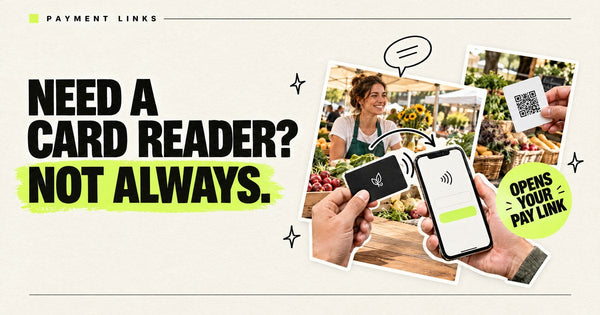
Pocket Factory: Your business logo on a card. Tap it, it opens your link. The link can be your website, Instagram, Google reviews, booking page, menu or pay link. It's an NFC card with an NTAG215 chip, pre-programmed with your URL, from $19, and you can order just one, with no app or subscription.
This guide is a practical workflow: when to ask, what to say, which link to use, and how physical tools like NFC Google review cards remove friction. It is distinct from a product explainer — if you want the chip mechanics, see how Google Review cards work and NFC Google review cards for business.
Why Google reviews matter for local businesses
Prospective customers compare you against nearby options. A thin or stale review profile looks risky even when your work is excellent. Genuine reviews from real customers provide:
- Trust on your Google Business Profile
- Information in Maps and local search
- Social proof on your site and sales follow-ups
Buying fake reviews is a non-starter — against Google policy and brand suicide. Invite honest reviews from genuine customers, regardless of whether their experience was positive or negative.
The core workflow: offer the same optional invitation after the experience
Build a simple loop after the service or visit, without requiring customers to review on the premises:
- Deliver the job — finish the service, handoff, or dine-out experience.
- Invite every genuine customer — offer the same optional review invitation regardless of their sentiment.
- Keep the invitation neutral — “If you’d like to share your experience, this opens our Google review form. Reviewing is optional.”
- Hand them a one-tap path — NFC review card, QR on the same card, or a short SMS with your Place review URL.
- Say thank you — no discount-for-review schemes that violate Google’s policies.
Staff should know the script. Owners should not be the only people who ever ask.
Easiest way to ask customers for a review
The easiest ask is one neutral sentence, said in person to every customer at the moment the visit or job ends, with the review page one tap or scan away.
At checkout: "Thanks for coming in. If you'd like to share how it went, tapping this card opens our Google review page. Totally optional."
At the end of a job: "We're all wrapped up. If you want to leave a Google review, now or later, this card opens the page. Either way, thanks for having us."
Then hand over the card (or point to the QR code on the back) and let the customer decide whether and when to review. Don't wait over them, ask for a star rating, or suggest what to write. A tap card is the physical version of the review link Google already gives you: Your business logo on a card. Tap it, it opens your link.
Use the correct Google review link
Do not send people to your homepage and hope they find Google. Use a direct Place / write-a-review URL for your Google Business Profile. Verify it on a real phone before you print anything.
Common mistakes:
- Wrong Place ID or a competitor’s listing
- A Maps search URL that is not the review composer
- A shortened link that breaks on some devices
- Changing the destination after cards are already printed
Lock the URL first. Then encode it on NFC and print the same URL as QR.
Remove friction with NFC + QR review cards
A direct review link lets customers who choose to review avoid searching for your business name and navigating Maps menus. A Google review card with NFC (and a printed QR to the same URL) turns the ask into a physical CTA:
- Customer taps the card (or scans the QR)
- Phone opens your Google review page
- They can choose whether and when to leave an honest review
That is the practical answer to how to get more Google reviews for teams that already deliver good work but under-collect proof. Pocket Factory builds NFC + QR review cards with your logo (Pocket Factory cards) for reusable handoffs or deliberate giveaways.
Choose reusable cards or take-home reminders before buying: An NFC card can stay at a counter or with a team member for repeated taps. Choose your quantity around intended placements and simultaneous staff use, rather than automatically buying one per customer. You can give NFC cards away, but that means budgeting one physical card per recipient. For a lower-cost take-home reminder, print the same review link or QR code on a receipt or paper insert. Google lets Business Profile managers download the review QR code in a computer browser (Google’s link and QR instructions); printing is separate. Let customers choose whether and when to review; neither format guarantees a completed review.
Shop: NFC cards with your business logo · getpocketfactory.com
Where review cards work best
- Home services — HVAC, plumbing, cleaning, landscaping after a completed job
- Clinics and salons — front-desk handoff after the visit
- Restaurants and cafés — check presenter, table tent, or receipt insert (national playbook, not city pages)
- Auto and repair shops — handoff when the customer picks up the vehicle
- Agencies and B2B services — after a milestone delivery, not cold outreach
Train the timing. A card sitting unused in a drawer does nothing. Offer the same optional invitation after each completed service or visit.
What not to do
- Do not offer payment, discounts or other incentives in exchange for any review.
- Do not selectively invite only happy customers or discourage negative reviews.
- Do not spam email sequences that look like review farms.
- Do not print cards before the review URL is verified.
Honest volume beats gamed ratings. Reply to reviews (good and bad) so the profile looks active.
Simple 30-day plan to get more Google reviews
- Week 1 — Confirm GBP ownership, fix NAP consistency, verify the write-a-review URL on iOS and Android.
- Week 2 — Write a 1–2 sentence ask script; train every customer-facing person.
- Week 3 — Order NFC + QR review cards with your logo; put them where the handoff happens.
- Week 4 — Track new reviews per week; coach the team on missed asks; adjust placement.
Track invitations and completed reviews separately, and check the URL and device compatibility. These observations do not by themselves establish that the card caused a change in reviews.
FAQ
How do I get more Google reviews fast?
Offer every genuine customer the same optional invitation after the experience, regardless of sentiment, and provide a direct review link by NFC, QR or SMS. A direct link avoids manual searching; it does not guarantee more or faster reviews.
Is it OK to ask customers for Google reviews?
Yes — asking is normal and allowed. Paying for fake reviews or filtering only positive ones is not. Keep the ask optional and honest.
What is the easiest way for customers to leave a review?
A direct Google review URL opened by NFC tap or QR scan beats “search us on Google.” That is why review cards exist.
Do NFC Google review cards work for restaurants and local shops?
Yes. Any business with an in-person handoff can use the same national workflow: verified review URL + hybrid NFC/QR card + staff script.
How is this different from “how Google review cards work”?
That article explains the mechanism. This one is the operating system: when to ask, what link to use, how to train staff, and how cards fit the loop.
Bottom line
To get more Google reviews, stop relying on memory and email. Offer every genuine customer the same optional invitation, send them straight to your review URL, and use NFC + QR review cards so the path is physical and obvious. If you want Pocket Factory cards built for that workflow, start at NFC cards with your business logo.
More in-person guides: How to get more Google reviews in person · Free Google review link + QR generator