
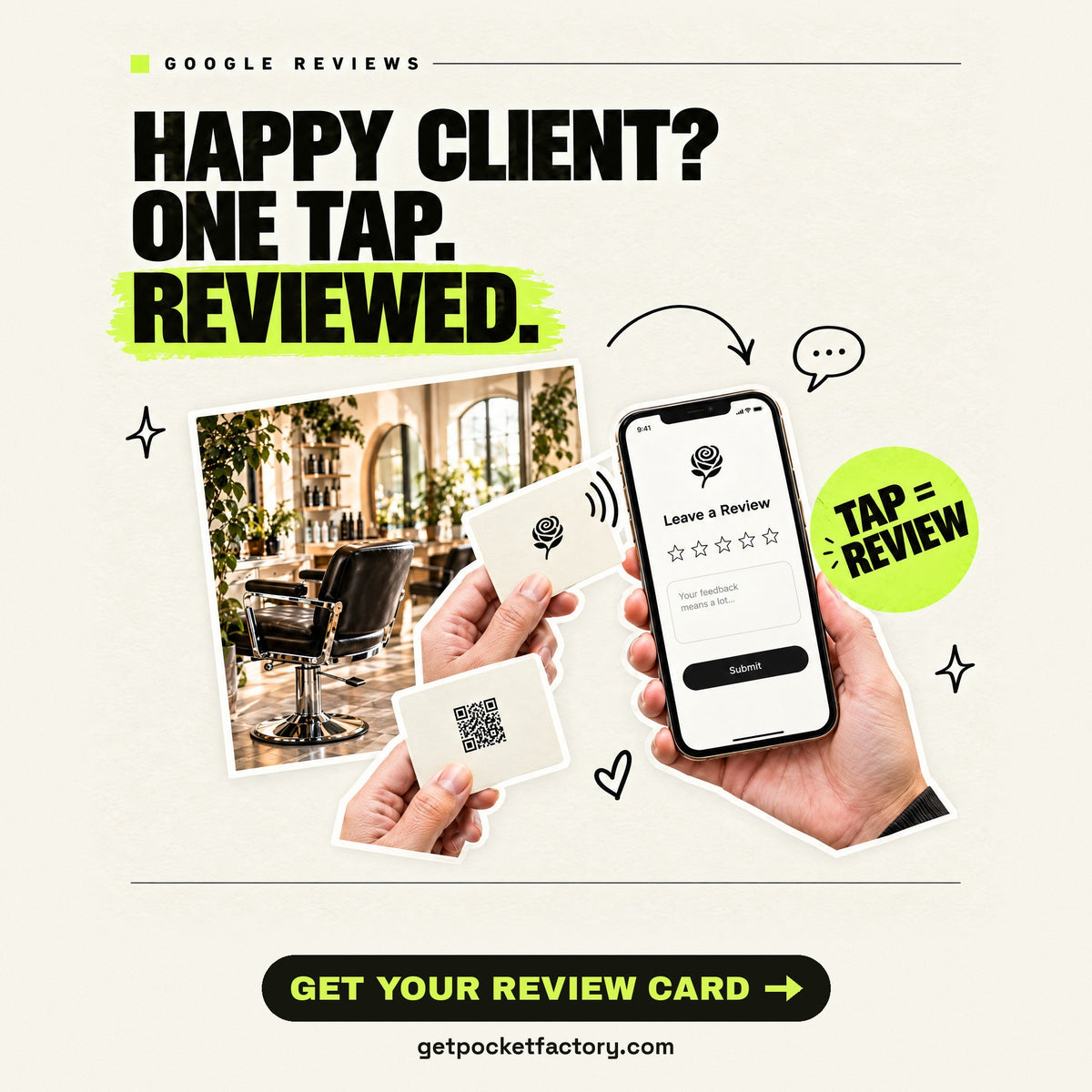
Google review cards with your logo. One tap to your review page.
Tap it, it opens Google reviews
Put your review page one tap away while the customer is still there.

No signup. Ships in 3–5 business days.
Pay with Apple Pay, Shop Pay, Google Pay.From $19 · Free U.S. shipping
Questions? Call us free: (888) 218-9635
Tap it on a phone. Your link opens. No app needed. A printed QR backup is included by default.
No website needed. Upload a PNG, JPG, WebP, GIF, HEIC or PDF up to 10 MB, or an SVG up to 512 KB. Big photos are made smaller for you. You can also drop or paste it here.
Have a finished design? Used as it is, edge to edge. PNG, JPG, WebP, GIF, HEIC or PDF, up to 10 MB.
AI design on your card
Here’s your card
Your logo is on the front.
Logos we found. Pick one to put it on your card.
Optional: have a logo? Add it to your card. You can order without one.
Here’s what we found
From your words
Change anything:
Matte is soft, with no shine. Glossy is shiny. Both work the same way.
The plastic card under your design: only its edge shows.
Bigger or smaller. It always stays clear of the card’s edges.
A shared card. Buy it as it is, or make it yours and change anything, even where a tap goes. The shared card stays as it was.
Where should a tap go?
Tap it on a phone. Your link opens. No app needed. A printed QR backup is included by default.
Nothing to pick here for a contact card. Pick one below only if a tap should open something else.
Reviews go to:
Your cards open this link, so Buy waits for it.
How do I find my Google review link?
- Search your business name on Google, signed in to the Google account that manages it.
- On your Business Profile, tap Ask for reviews. On a computer, choose Read reviews, then Get more reviews.
- Copy the link and paste it above.
No Google Business Profile yet? Choose “Website” above: your cards open your website.
 Example screen
Tap, collect, done.
A tap opens your review page. A QR scan works too.
Hold the card near the top of a phone. Your link opens on their screen, no app needed.
- 1Hold the card near their phone
- 2A link pops up on their screen
- 3They tap it and your page opens
Same card, tap after tap. Nothing to charge, nothing to download.
No special app needed. On compatible phones, open the tap notification.Your card preview is ready
 Mockups show a sample QR. Your card’s QR opens your link. A designer refines designs made here before printing. A design you upload for the whole front prints as it is.
Questions? Call us free: (888) 218-9635
Step by step
How the Google review NFC card works
-
Tell us your business
Your website, logo or finished design, plus your business name and location. We try to find your Google review link, or you paste it.
-
See your card before you buy
We add your logo and colors, and you pick light, dark or your brand color.
-
We check your design and link
Before production. We email you if anything needs confirming.
-
We program and lock each card
Each one is tap-tested, then locked, so the link can’t be erased or overwritten.
-
Customers tap, your review page opens
Hand a card over after checkout or service.
Step by step
How the Website NFC card works
-
Tell us your business
Its name and website, or the exact page a tap should open.
-
See your card before you buy
We add your logo and colors, and you pick light, dark or your brand color.
-
We check your design and link
Before production. We email you if anything needs confirming.
-
Customers tap, your site opens
Hand a card over instead of spelling out your web address. It works with iPhone and Android.
Step by step
How the Review site NFC card works
-
Tell us your business
Your website or logo, plus the link to your page on Yelp, Trustpilot or another review site.
-
See your card before you buy
We add your logo and colors, and you pick light, dark or your brand color.
-
We check your design and link
Before production. We email you if anything needs confirming.
-
Customers tap, your page opens
Hand a card over after checkout or service.
Step by step
How the Social media NFC card works
-
Tell us your business
Its name and website, and your profile link.
-
See your card before you buy
We add your logo and colors, and you pick light, dark or your brand color.
-
We check your design and link
Before production. We email you if anything needs confirming.
-
People tap, your profile opens
Hold the card out, and they follow you on the spot.
Step by step
How the Booking NFC card works
-
Tell us your business
Its name and website, and your booking page link.
-
See your card before you buy
We add your logo and colors, and you pick light, dark or your brand color.
-
We check your design and link
Before production. We email you if anything needs confirming.
-
Clients tap, your booking page opens
They book the next visit before they leave.
Step by step
How the Contact NFC card works
-
Tell us your details
Type what you want to share, or give us your contact page or contact file.
-
See your card before you buy
We add your logo and colors, and you pick light, dark or your brand color.
-
We check your design and details
Before production. We email you if anything needs confirming.
-
A tap shares your details
Hand a card over instead of spelling out your number and email.
Step by step
How the Menu NFC card works
-
Tell us your business
Its name and website, and the link to your online menu.
-
See your card before you buy
We add your logo and colors, and you pick light, dark or your brand color.
-
We check your design and link
Before production. We email you if anything needs confirming.
-
Guests tap, your menu opens
At the table or the counter, with no app and no paper menu to reprint.
Step by step
How the Link NFC card works
-
Tell us your business
Its name and website, and the link a tap should open: a payment page, your links page or a portfolio.
-
See your card before you buy
We add your logo and colors, and you pick light, dark or your brand color.
-
We check your design and link
Before production. We email you if anything needs confirming.
-
People tap, your link opens
The card opens that exact address.
Before you order
How to get your Google review link
Your card opens Google’s write-a-review form for your exact location: not your homepage, not a Maps listing.
-
Search your business on Google
Search your business name on Google, signed in to the Google account that manages it.
-
Tap “Ask for reviews”
On your Business Profile, tap “Ask for reviews”. On a computer, choose “Read reviews”, then “Get more reviews”.
-
Copy the link and paste it
Copy the link and paste it above: in “Where should a tap go?”, choose “Google reviews”.
Your cards open this link, so Buy waits for it.
Several locations? Each one has its own review link, so make a separate design for each.
Test it before you order
Ask someone else to open the link on their phone.
It should open the review form for the right business and address. If Google asks them to sign in, that’s normal.
Still stuck?
Call us free: (888) 218-9635. Our AI assistant answers.
No Google Business Profile yet? Choose “Website” above: your cards open your website.
Where to use it
Where it works best
- At checkout or the counter, as part of how you thank every customer.
- At pickup, or at the end of an appointment, a delivery or a service call.
- On the final walkthrough of a job, handed over with the invoice.
- Kept by staff, who ask every customer in the same few words.
Last check
Before you hand it out
- Ask every customer the same way, happy or not.
- Never offer a discount, a freebie or anything else for a review. Google doesn’t allow it.
- The card only opens the review page. Customers choose the stars and write the words.
Before you order
How to pick your link
A website card opens one web address: your homepage, or a single page like a menu, a portfolio or a page that lists all your links. Its link can’t change once it’s made, so pick a page you control.
-
Choose a page you control
The best link is one you can keep up to date. You edit that page any time, and the card keeps opening it.
Using Linktree, Beacons or Stan?
Those pages work like any other website. Keep the same username: changing it can break the link on all your cards.
-
Copy the exact address
Open the page in your browser and copy the full address from the address bar.
-
Paste it when you make your card
In “Where should a tap go?”, choose “Website”. It starts with the website you typed: paste another link if a tap should open a different page.
Last check
Before you hand it out
- Ask someone else to open your link on their phone.
- Make sure it’s the page you want people to see.
Before you order
How to get your review page link
Your card opens your business’s page on Yelp, Trustpilot or another review site. Use the page’s web address, the one that also opens in a browser.
-
Find your business page
Search your business on the review site and open its page.
-
Copy its link
Tap “Share”, then “Copy link”, or copy the address from your browser.
-
Paste it when you make your card
Choose your review site, then paste the link.
On Yelp?
Yelp asks businesses not to ask for reviews, so a Yelp card says “Find us on Yelp” and opens your page.
Last check
Before you hand it out
- Open the link on your phone: your business page should open.
- Make sure it’s your page, not a search.
Before you order
How to get your profile link
Your card opens one profile: Instagram, TikTok, Facebook, X, LinkedIn or another app. Use the profile’s web address, the one that also opens in a browser.
-
Copy your profile link
Open your own profile and tap “Share” or “Copy link”.
Keep the same username
The card’s link can’t change once it’s made, and a new username can break the link on all your cards.
-
Check it looks right
It should be the app’s web address, then your username, like instagram.com/yourusername.
-
Paste it when you make your card
In “Where should a tap go?”, choose “Instagram / social”, then paste it.
Last check
Before you hand it out
- Open the link on someone else’s phone.
- Make sure it opens your profile, not your feed.
Before you order
How to get your booking link
Your card opens the public page where clients book with you. Your booking tool takes the booking, not the card.
-
Find your public booking page
Most booking tools give you a public link for clients: Square Appointments, Vagaro, Booksy, Fresha, GlossGenius and others.
No online booking yet?
Choose the Website card instead, set to the page where clients call or message you.
-
Copy the page clients book on
Not the calendar you manage bookings from. If a new client can’t pick a time without signing in, it’s the wrong page.
-
Paste it when you make your card
In “Where should a tap go?”, choose “Booking”, then paste it.
Last check
Before you hand it out
- Book a test time from the link on your phone.
- Make sure new clients can see open times.
Before you order
What your contact card shares
A contact card opens your contact details on the other person’s phone, and they choose to save them.
-
Type your details
Choose “Contact” as the card type, then fill in what you want to share. Only your first name is required.
-
Add a photo if you like
A profile picture goes with your details, as a PNG, JPG or HEIC file.
-
Already have a contact page?
Paste the link to your contact page or contact file (a .vcf file) instead.
Last check
Before you hand it out
- Check every number and email for typos.
- Make sure these are the details you want to share.
Before you order
How to get your menu link
Your card opens one web address: your online menu. Pick a page you control, so the menu can change while the card keeps opening it.
-
Find your online menu
A menu page on your own website, or your online ordering page.
Prices or dishes change?
Update the menu page itself: the card keeps opening the same address.
-
Copy the exact address
Open the menu in your browser and copy the full address from the address bar.
-
Paste it when you make your card
In “Where should a tap go?”, choose “Menu”, then paste it.
Last check
Before you hand it out
- Open the link on your phone at a table.
- Make sure it opens the menu, not your homepage.
Before you order
How to pick the link
Your card opens one web address: a payment page, a page with all your links, a portfolio or a listing. Its link can’t change once it’s made, so pick one you control.
-
Open the page you want
The exact page people should land on.
-
Copy the full address
From your browser’s address bar, or the app’s “Copy link”.
-
Paste it when you make your card
In “Where should a tap go?”, choose “Other link”, then paste it.
A payment link?
Venmo, Cash App, Square or Stripe pages work. The card opens the page: it isn’t a card reader or payment terminal.
Last check
Before you hand it out
- Open the link on someone else’s phone.
- Make sure it’s the page you want people to see.
Quick answers
Google review NFC card questions
-
How much does it cost?
From $19 for one card, paid once. No subscription or monthly fee.
No minimum, so you never buy a box of 500. Packs of 2 to 50 cost less per card.
Pocket Factory NFC card prices (one-time, no subscription) Pack Matte Glossy 1 card $19 $21 2 cards $29 $14.50 each $33 $16.50 each 3 cards $39 $13 each $45 $15 each 5 cards $59 $11.80 each $69 $13.80 each 10 cards $109 $10.90 each $129 $12.90 each 25 cards $229 $9.16 each $279 $11.16 each 50 cards $399 $7.98 each $499 $9.98 each -
How fast does it ship?
Ships in 3–5 business days. U.S. shipping is free.
Ships from the USA. In a hurry? Express: made and shipped the next business day, $10. Your order goes to the front of the line. Pick it at checkout. More in our shipping policy.
-
Can I order personalized cards by email?
Yes.
Email bryton@getpocketfactory.com with the quantity, colors, orientation, front and back text, and the link you choose. We reply with a mockup and a ready-to-buy link, and you just check out. Cards ship locked to the link you choose.
-
What is a Google review card?
A card that opens your business’s Google review page.
A customer taps it with a phone or scans its QR code, and your review page opens. Many businesses use it as a “leave us a review” card: keep one at the counter or hand it over after a visit. The customer still picks the stars and writes the review; the card just skips searching for your business. Ask every customer the same way.
Also called an NFC Google review card: a tap card for Google reviews.
-
Do I need my Google review link before I order?
Yes. We try to find it from your business name and location.
If we can’t, the steps below show you how. Your cards open this link, so Buy waits for it.
Show all questionsShow fewer questions
-
Do customers need an app?
No. A tap opens your Google review page.
It works with iPhone XS or newer and NFC-enabled Android phones. The card needs no battery or charging.
-
What if a customer’s phone has no NFC?
They scan the QR code on the back with their phone’s camera.
Every card has the Tap + QR back by default, at no extra cost, and the QR code opens the same review page. Prefer a tap-only back? Just ask.
-
Can I change the link later?
No. Cards ship locked, so nobody can erase or overwrite the link.
If your review link ever changes, you’ll need new cards: send us the new link and we’ll reuse your design. More on changing the link on your card.
-
Something wrong with your cards?
It works on arrival, or we fix or replace it.
If a card doesn’t open your link when it arrives, call (888) 218-9635 and we’ll fix it. Damaged, defective or not what you approved? Email us and we’ll work with you on a fix, such as a redesign or replacement.
-
Can the card open Trustpilot or Yelp instead?
Yes. Choose the site when you make your card, and paste your review page.
Trustpilot and other review sites work the same way. Yelp asks businesses not to ask for reviews, so a Yelp card should say “Find us on Yelp” instead of asking for one.
-
I have more than one location. What do I order?
One design for each location, each with its own review link.
Never put one location’s link on another’s cards. Each design is its own line in your cart, so one order covers them all.
-
Why does Google ask customers to sign in?
Google only lets signed-in Google Account holders post reviews.
The prompt is Google’s, and it doesn’t mean your card is wrong. The card opens your review page directly, with no Pocket Factory account or dashboard in between.
-
Can I offer a discount or a freebie for a review?
No. Google doesn’t allow discounts, gifts or anything else in return for reviews.
Don’t steer some customers away from the page either. Invite every genuine customer the same way, and let each one decide what to write.
Quick answers
Website NFC card questions
-
How much does it cost?
From $19 for one card, paid once. No subscription or monthly fee.
No minimum, so you never buy a box of 500. Packs of 2 to 50 cost less per card.
Pocket Factory NFC card prices (one-time, no subscription) Pack Matte Glossy 1 card $19 $21 2 cards $29 $14.50 each $33 $16.50 each 3 cards $39 $13 each $45 $15 each 5 cards $59 $11.80 each $69 $13.80 each 10 cards $109 $10.90 each $129 $12.90 each 25 cards $229 $9.16 each $279 $11.16 each 50 cards $399 $7.98 each $499 $9.98 each -
How fast does it ship?
Ships in 3–5 business days. U.S. shipping is free.
Ships from the USA. In a hurry? Express: made and shipped the next business day, $10. Pick it at checkout.
-
Can I order personalized cards by email?
Yes.
Email bryton@getpocketfactory.com with the quantity, colors, orientation, front and back text, and the link you choose. We reply with a mockup and a ready-to-buy link, and you just check out. Cards ship locked to the link you choose.
-
Do people need an app?
No. A tap opens your website.
It works with iPhone XS or newer and NFC-enabled Android phones. A phone without NFC scans the QR code on the back, which opens the same page.
-
Is the card pre-programmed with my URL?
Yes. We program your link before it ships.
There’s nothing to set up and no app to install.
Show all questionsShow fewer questions
-
Can it open a specific page or my Linktree?
Yes. It opens whatever web address you give it.
Your homepage, a menu, a portfolio, a listings page or a page with all your links. Linktree, Beacons and Stan pages work like any website, and you can change what’s on them whenever you like.
-
Can I change the link later?
No. Cards ship locked, so nobody can erase or overwrite the link.
Point the card at a page you control: update that page any time, and the card keeps opening it. Only a new address needs new cards.
-
Something wrong with your cards?
It works on arrival, or we fix or replace it.
If a card doesn’t open your link when it arrives, call (888) 218-9635 and we’ll fix it. Damaged, defective or not what you approved? Email us and we’ll work with you on a fix, such as a redesign or replacement.
Quick answers
Review site NFC card questions
-
How much does it cost?
From $19 for one card, paid once. No subscription or monthly fee.
No minimum, so you never buy a box of 500. Packs of 2 to 50 cost less per card.
Pocket Factory NFC card prices (one-time, no subscription) Pack Matte Glossy 1 card $19 $21 2 cards $29 $14.50 each $33 $16.50 each 3 cards $39 $13 each $45 $15 each 5 cards $59 $11.80 each $69 $13.80 each 10 cards $109 $10.90 each $129 $12.90 each 25 cards $229 $9.16 each $279 $11.16 each 50 cards $399 $7.98 each $499 $9.98 each -
How fast does it ship?
Ships in 3–5 business days. U.S. shipping is free.
Ships from the USA. In a hurry? Express: made and shipped the next business day, $10. Pick it at checkout.
-
Can I order personalized cards by email?
Yes.
Email bryton@getpocketfactory.com with the quantity, colors, orientation, front and back text, and the link you choose. We reply with a mockup and a ready-to-buy link, and you just check out. Cards ship locked to the link you choose.
-
Do people need an app?
No. A tap opens your review page.
It works with iPhone XS or newer and NFC-enabled Android phones. A phone without NFC scans the QR code on the back, which opens the same page.
-
Which review sites can the card open?
Yelp, Trustpilot or another review site: one page per card.
Choose the site when you make your card, and paste the link to your business page.
Show all questionsShow fewer questions
-
Can a Yelp card ask for reviews?
No. Yelp asks businesses not to ask for reviews.
So a Yelp card says “Find us on Yelp” and opens your Yelp page.
-
Can I change the link later?
No. Cards ship locked, so nobody can erase or overwrite the link.
If your page’s address ever changes, you’ll need new cards: send us the new link and we’ll reuse your design.
-
Something wrong with your cards?
It works on arrival, or we fix or replace it.
If a card doesn’t open your link when it arrives, call (888) 218-9635 and we’ll fix it. Damaged, defective or not what you approved? Email us and we’ll work with you on a fix, such as a redesign or replacement.
Quick answers
Social media NFC card questions
-
How much does it cost?
From $19 for one card, paid once. No subscription or monthly fee.
No minimum, so you never buy a box of 500. Packs of 2 to 50 cost less per card.
Pocket Factory NFC card prices (one-time, no subscription) Pack Matte Glossy 1 card $19 $21 2 cards $29 $14.50 each $33 $16.50 each 3 cards $39 $13 each $45 $15 each 5 cards $59 $11.80 each $69 $13.80 each 10 cards $109 $10.90 each $129 $12.90 each 25 cards $229 $9.16 each $279 $11.16 each 50 cards $399 $7.98 each $499 $9.98 each -
How fast does it ship?
Ships in 3–5 business days. U.S. shipping is free.
Ships from the USA. In a hurry? Express: made and shipped the next business day, $10. Pick it at checkout.
-
Can I order personalized cards by email?
Yes.
Email bryton@getpocketfactory.com with the quantity, colors, orientation, front and back text, and the link you choose. We reply with a mockup and a ready-to-buy link, and you just check out. Cards ship locked to the link you choose.
-
Do people need an app?
No. A tap opens your profile.
It works with iPhone XS or newer and NFC-enabled Android phones. A phone without NFC scans the QR code on the back, which opens the same page.
-
Which profiles can a social card open?
One profile: Instagram, TikTok, Facebook, X, LinkedIn or another app.
Pick the app when you make your card, and paste your profile link.
Show all questionsShow fewer questions
-
Does it open the app or the browser?
The matching app, like Instagram, if they have it, or the browser.
-
Can I change the link later?
No. Cards ship locked, so nobody can erase or overwrite the link.
Changing your username can break that link. Keep the one you have, or set the card to open a page you can edit, like Linktree.
-
Something wrong with your cards?
It works on arrival, or we fix or replace it.
If a card doesn’t open your link when it arrives, call (888) 218-9635 and we’ll fix it. Damaged, defective or not what you approved? Email us and we’ll work with you on a fix, such as a redesign or replacement.
Quick answers
Booking NFC card questions
-
How much does it cost?
From $19 for one card, paid once. No subscription or monthly fee.
No minimum, so you never buy a box of 500. Packs of 2 to 50 cost less per card.
Pocket Factory NFC card prices (one-time, no subscription) Pack Matte Glossy 1 card $19 $21 2 cards $29 $14.50 each $33 $16.50 each 3 cards $39 $13 each $45 $15 each 5 cards $59 $11.80 each $69 $13.80 each 10 cards $109 $10.90 each $129 $12.90 each 25 cards $229 $9.16 each $279 $11.16 each 50 cards $399 $7.98 each $499 $9.98 each -
How fast does it ship?
Ships in 3–5 business days. U.S. shipping is free.
Ships from the USA. In a hurry? Express: made and shipped the next business day, $10. Pick it at checkout.
-
Can I order personalized cards by email?
Yes.
Email bryton@getpocketfactory.com with the quantity, colors, orientation, front and back text, and the link you choose. We reply with a mockup and a ready-to-buy link, and you just check out. Cards ship locked to the link you choose.
-
Do people need an app?
No. A tap opens your booking page.
It works with iPhone XS or newer and NFC-enabled Android phones. A phone without NFC scans the QR code on the back, which opens the same page.
-
Which booking tools work with the card?
Any booking page with a public web link.
Square Appointments, Vagaro, Booksy, Fresha, GlossGenius, SimplePractice and Jane, or a booking page on your own site.
Show all questionsShow fewer questions
-
Does the card take the booking?
No. It opens your booking page, and your booking tool takes the booking.
There’s nothing to connect, and no account with us.
-
Can I change the link later?
No. Cards ship locked, so nobody can erase or overwrite the link.
If you might switch booking tools, set the card to open a booking page on your own website, and change where that page sends people.
-
Something wrong with your cards?
It works on arrival, or we fix or replace it.
If a card doesn’t open your link when it arrives, call (888) 218-9635 and we’ll fix it. Damaged, defective or not what you approved? Email us and we’ll work with you on a fix, such as a redesign or replacement.
Quick answers
Contact NFC card questions
-
How much does it cost?
From $19 for one card, paid once. No subscription or monthly fee.
No minimum, so you never buy a box of 500. Packs of 2 to 50 cost less per card.
Pocket Factory NFC card prices (one-time, no subscription) Pack Matte Glossy 1 card $19 $21 2 cards $29 $14.50 each $33 $16.50 each 3 cards $39 $13 each $45 $15 each 5 cards $59 $11.80 each $69 $13.80 each 10 cards $109 $10.90 each $129 $12.90 each 25 cards $229 $9.16 each $279 $11.16 each 50 cards $399 $7.98 each $499 $9.98 each -
How fast does it ship?
Ships in 3–5 business days. U.S. shipping is free.
Ships from the USA. In a hurry? Express: made and shipped the next business day, $10. Pick it at checkout.
-
Do people need an app?
No. A tap opens your contact details.
It works with iPhone XS or newer and NFC-enabled Android phones. A phone without NFC scans the QR code on the back, which opens the same page.
-
What happens when someone taps a contact card?
Your contact details open on their phone, and they choose to save them.
It isn’t automatic: the card shares your details, and the person decides to keep them.
-
Which details can I put on it?
Your name, phone, email, website and more.
First and last name, title, company, position, phone number, email, website, address, birthday and notes. You can add a profile picture too.
Show all questionsShow fewer questions
-
Can I change the link later?
No. Cards ship locked, so nobody can erase or overwrite the link.
If your details change often, set the card to open a contact page on your own site, and update that page.
-
Something wrong with your cards?
It works on arrival, or we fix or replace it.
If a card doesn’t open your link when it arrives, call (888) 218-9635 and we’ll fix it. Damaged, defective or not what you approved? Email us and we’ll work with you on a fix, such as a redesign or replacement.
Quick answers
Menu NFC card questions
-
How much does it cost?
From $19 for one card, paid once. No subscription or monthly fee.
No minimum, so you never buy a box of 500. Packs of 2 to 50 cost less per card.
Pocket Factory NFC card prices (one-time, no subscription) Pack Matte Glossy 1 card $19 $21 2 cards $29 $14.50 each $33 $16.50 each 3 cards $39 $13 each $45 $15 each 5 cards $59 $11.80 each $69 $13.80 each 10 cards $109 $10.90 each $129 $12.90 each 25 cards $229 $9.16 each $279 $11.16 each 50 cards $399 $7.98 each $499 $9.98 each -
How fast does it ship?
Ships in 3–5 business days. U.S. shipping is free.
Ships from the USA. In a hurry? Express: made and shipped the next business day, $10. Pick it at checkout.
-
Can I order personalized cards by email?
Yes.
Email bryton@getpocketfactory.com with the quantity, colors, orientation, front and back text, and the link you choose. We reply with a mockup and a ready-to-buy link, and you just check out. Cards ship locked to the link you choose.
-
Do people need an app?
No. A tap opens your menu.
It works with iPhone XS or newer and NFC-enabled Android phones. A phone without NFC scans the QR code on the back, which opens the same page.
-
Which menu pages work?
Any menu with a web address.
A menu page on your own website, or your online ordering page.
Show all questionsShow fewer questions
-
Can one card open the menu and our reviews?
One card opens one link.
Make a second design for reviews, or point the card at a page that links to both.
-
Can I change the link later?
No. Cards ship locked, so nobody can erase or overwrite the link.
Update the menu page itself any time: the card keeps opening the same address. Only a new address needs new cards.
-
Something wrong with your cards?
It works on arrival, or we fix or replace it.
If a card doesn’t open your link when it arrives, call (888) 218-9635 and we’ll fix it. Damaged, defective or not what you approved? Email us and we’ll work with you on a fix, such as a redesign or replacement.
Quick answers
Link NFC card questions
-
How much does it cost?
From $19 for one card, paid once. No subscription or monthly fee.
No minimum, so you never buy a box of 500. Packs of 2 to 50 cost less per card.
Pocket Factory NFC card prices (one-time, no subscription) Pack Matte Glossy 1 card $19 $21 2 cards $29 $14.50 each $33 $16.50 each 3 cards $39 $13 each $45 $15 each 5 cards $59 $11.80 each $69 $13.80 each 10 cards $109 $10.90 each $129 $12.90 each 25 cards $229 $9.16 each $279 $11.16 each 50 cards $399 $7.98 each $499 $9.98 each -
How fast does it ship?
Ships in 3–5 business days. U.S. shipping is free.
Ships from the USA. In a hurry? Express: made and shipped the next business day, $10. Pick it at checkout.
-
Can I order personalized cards by email?
Yes.
Email bryton@getpocketfactory.com with the quantity, colors, orientation, front and back text, and the link you choose. We reply with a mockup and a ready-to-buy link, and you just check out. Cards ship locked to the link you choose.
-
Do people need an app?
No. A tap opens your link.
It works with iPhone XS or newer and NFC-enabled Android phones. A phone without NFC scans the QR code on the back, which opens the same page.
-
What can a link card open?
One web address you choose.
A payment page, a page with all your links, a portfolio, a listing or a sign-up form.
Show all questionsShow fewer questions
-
Can it open a payment link?
Yes. Venmo, Cash App, Square or Stripe pages work.
The card opens the page: it isn’t a card reader or payment terminal.
-
Can I change the link later?
No. Cards ship locked, so nobody can erase or overwrite the link.
Point the card at a page you control: update that page any time, and the card keeps opening it.
-
Something wrong with your cards?
It works on arrival, or we fix or replace it.
If a card doesn’t open your link when it arrives, call (888) 218-9635 and we’ll fix it. Damaged, defective or not what you approved? Email us and we’ll work with you on a fix, such as a redesign or replacement.
More answers
What card do businesses hand you that opens their Google review page when you tap it, and where do I get one?
It is a Google review NFC card: a wallet-size card with a chip and a QR code that opens the business's Google review page in one tap or scan. Several companies make them; this page sells a personalized version with your logo, programmed to your review link and shipped locked to it. It ships in 3–5 business days, and no battery or charging is needed.
| Google review card pack | White matte | White glossy |
|---|---|---|
| 1 Card | $19 | $21 |
| 2 Cards | $29 | $33 |
| 5 Cards | $59 | $69 |
| 10 Cards | $109 | $129 |
| 25 Cards | $229 | $279 |
One-time prices in USD, no subscription. Larger packs and black cards are listed in the pack options above.
Do I need an app or a monthly plan for a Google review tap card?
No. You pay once for the card, and the customer's phone opens your Google review page without an app. There is no monthly plan.
What happens if a customer's phone doesn't tap?
They scan the printed QR backup, which is included by default. Tapping works on iPhone XS or newer and NFC Android, with the QR backup.
Prices, shipping and what's included
- Pack prices white matte from $19 for 1 card to $399 for 50; white glossy $21 to $499; black matte $21 to $499; black glossy $23 to $599. One-time, no subscription.
- Turnaround Ships in 3–5 business days.
- Shipping (U.S.) free standard shipping, or $10 expedited shipping (shown at checkout as "Express: made and shipped next business day"). Ships from the USA.
- What's included a personalized card with your logo, programmed to your Google review link and shipped locked to that link; a printed QR backup is included by default; no battery or charging is needed.
- Phones works with iPhone XS or newer and NFC Android, with the QR backup.
- Replacement wrong or defective cards are replaced free for 365 days.
Ask us
Need something specific?
More than 50 cards or your own design? Ask here. The assistant can quote a larger or special order and send you a checkout link.
Questions? Email bryton@getpocketfactory.com
Hi! I’m Pocket Factory’s AI assistant. Ask about the cards, shipping, larger orders or your design.
Answers come from Pocket Factory’s own product pages and policies. For anything else, email bryton@getpocketfactory.com.
Talk to a real person.
Questions before ordering, something wrong with your cards, or need help with an existing order? We’re here.
bryton@getpocketfactory.com
