
On this page · 11 sections
Short answer: Ask every customer during the final walk-around, while they are looking at the finished car, and put your Google review page on their phone right then: tap a review card to their phone or text them the direct link before you pack up. Send one follow-up text the same day. Never offer a discount for a review.
Why does "sure, I'll leave one" so rarely turn into a review?
Detailers describe the same pattern again and again on r/Detailing: the customer loves the car, says yes to a review, and then nothing happens. The yes is sincere. The problem is the gap between the driveway and the review box. Later, the customer has to remember your business name, find you on Google Maps, open the reviews tab, and start typing. Every step loses people.
The fix is to close that gap while they are still standing next to the car. The review box should be open on their phone before you load the last bucket into the van.
The walk-around: when and how to ask
- Do the walk-around first. Show the wheels, the glass, the interior. Let them touch the paint. Ask if there's anything they want you to go over again.
- Ask a direct question. One detailer on r/Detailing shares this script: "Thanks for trusting me with your vehicle. Can I count on you to leave me a Google review about your experience?" A clear question gets a clear yes, and people tend to keep their word.
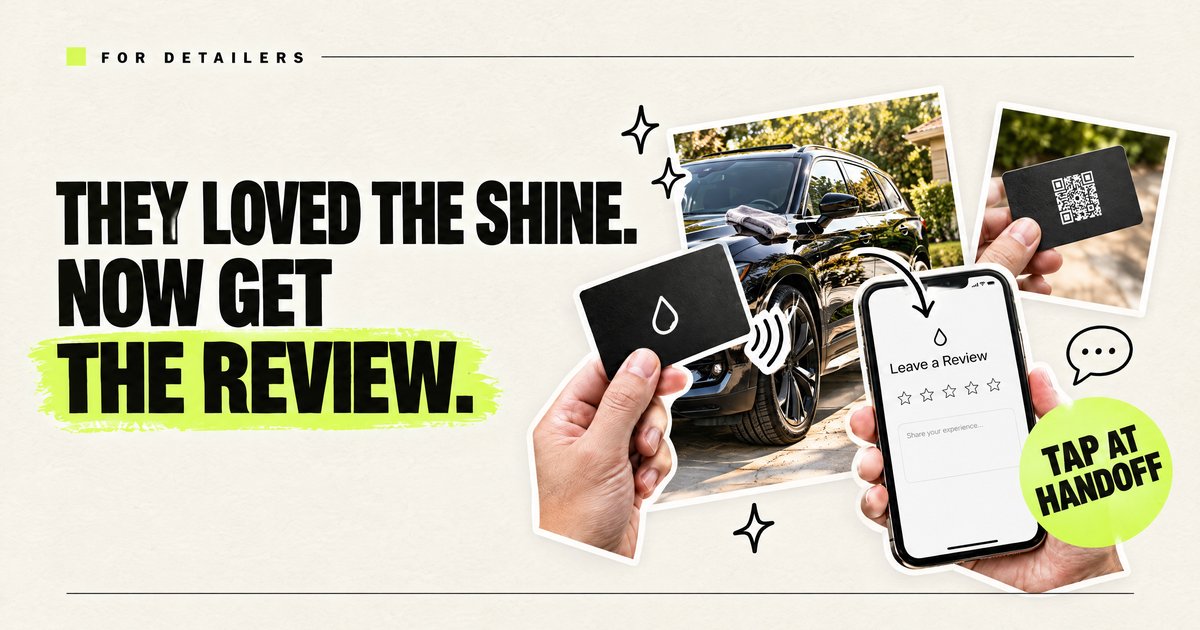
- Open the page for them. Tap your review card to their phone, or text the link while you're both standing there. Then step away and pack up. Don't hover.
Tap, text, or QR?
| Method | What the customer does | Where it falls short |
|---|---|---|
| Tap card at the walk-around | Holds their phone near the card; the review page opens | Needs you to bring the card to every handoff |
| Text the direct link | Taps the link in your message | Easy to ignore once they drive off |
| QR code on a card or invoice | Opens the camera, aims, taps the banner | Detailers report many customers, especially older ones, won't bother |
| "Just search us on Google" | Searches, finds you, opens reviews | The most steps, the fewest reviews |
The strongest setup is tap at the walk-around, and the same link by text the same day for anyone who didn't finish it.
A same-day text that doesn't feel pushy
Send it a few hours after the job, once. Name the car or the work so it doesn't read like a blast:
Hi [name], thanks again for letting us take care of the [vehicle] today. If you have a minute, a Google review helps a small detailing business more than anything: [review link]. Either way, thanks for the business.
Don't send it before 9 a.m., and don't send a second reminder after that. One ask in person and one text is enough.
What if the customer isn't there at handoff?
Drop-off jobs, dealership work, and fleet cars break the walk-around. For those, text the link the moment the job is marked done, with a before/after photo. The photo reminds them what they're reviewing. A card can still help on pickup if they come back for the keys.
How many reviews a month should a detailer aim for?
There is no fixed number. Aim for a steady monthly pace that is a little faster than the detailers who show up above you in Google Maps for your main service in your area.
Pace matters more than a big old total. A customer comparing detailers usually sorts by "Newest" and checks the dates. A profile with plenty of reviews but nothing since spring looks quieter than one with fewer reviews that keep arriving every week. That's our read of how customers shop, not a Google rule.
Here is a 10-minute way to set your own target:
- Search Google Maps for your main service plus your town, the way a customer would.
- Open the top 3 detailers in the results and count how many reviews each one received in the last 90 days.
- Divide each count by 3 to get a monthly pace. Set your goal slightly above the fastest one.
Hypothetical example, not real data: if the three counts were 18, 12 and 9, the fastest pace is 6 a month, so a goal of 7 or 8 a month is a sensible start.
Then tie the goal to your jobs. For two weeks, keep a sticky note in the van: one tally for every ask at the walk-around, one for every review that shows up. That gives you your own ask-to-review rate, so you know how many asks a month your goal really takes.
What Google itself says: its Business Profile help page on local ranking explains that local results are mainly based on relevance, distance and prominence, and that "more reviews and positive ratings can help your business's local ranking."
How should a detailer reply to Google reviews?
Reply to every review within a day or two, in one to three sentences. Mention the actual work and area the way a person would, and never paste the same line twice.
Google's help page puts it simply: replying to reviews "shows that you value their feedback," and positive reviews and helpful replies can help a business stand out. Your replies are also read by the next person deciding whether to hand you their keys.
Three reply patterns for a detailing business (examples only; swap in your own details):
- A detailed 5-star review: "Thanks, [first name]! Glad the ceramic coating on the Tacoma came out the way you wanted. Give it the cure time on your coating's instructions before the first wash, and it'll stay easy to clean."
- A 5-star rating with no text: "Thanks for the stars, [first name]. When it's time for a maintenance wash, we'd love to rebook the next detail."
- 3 stars or fewer: thank them, name the specific issue, offer the fix you actually provide (a return visit, a call), and give your business phone number to take it offline. No arguing, no blame, and no details about the customer or the job they didn't share themselves.
Mention a service or town only when it's true and reads naturally. A town name stuffed into every reply reads as spam. For a harsh review, see what to do about one bad review.
A 10-minute weekly review routine
- Pick a set time, such as Friday afternoon, and reply to that week's reviews.
- Recount your last 90 days against the same 3 competitors.
- Note which services and words customers used, and borrow that wording for your booking page.
- Check that the card on your keyring that opens your review page still taps through to the right link.
More setup ideas for your crew are on our car detailing business cards page.
What not to do
- No discounts for reviews. Some detailers suggest $10 or $20 off for a review. Google's policies prohibit incentivized reviews, and the FTC's 2024 rule on fake reviews and testimonials targets paying for them.
- No selective asking. Ask every customer, not only the happiest ones. Tools that route unhappy customers away from Google before they can post are a form of review gating, which Google's policies don't allow.
- No reviews written on your phone or tablet. Reviews posted from your device can look suspicious to Google and may be filtered.
- Reply to every review. A calm reply to a complaint is read by the next person deciding whether to book you.
Where do I get my review link?
In your Google Business Profile, use "Ask for reviews" and copy the link. If you manage the profile from Maps, the share option on your reviews works too. You can also use our Google review link generator. Use the same link on the card and in your texts.
More for detailers
Questions detailers ask
When is the best time to ask a detailing customer for a review?
During the final walk-around, right after they've seen the finished car and before you leave the driveway.
Can I give a discount for a Google review?
No. Google's policies prohibit incentivized reviews, and the FTC's 2024 rule targets buying reviews.
Are QR codes good for detailing reviews?
They work as a backup, but many detailers say customers ignore them. Tapping a card or texting the link takes fewer steps.
How many times should I follow up?
Once, by text, the same day. More than that tends to annoy customers.
Which link should I use?
The direct review link from your Google Business Profile's Ask for reviews option.
How many Google reviews does a detailing business need?
There is no fixed number. Count how many reviews the top 3 detailers in your area got in the last 90 days, divide by 3 for a monthly pace, and aim a little above the fastest one.
Should I reply to every Google review?
Yes. Keep each reply short and specific to the job. Google's Business Profile help says replying to reviews shows that you value your customers' feedback.










