On this page · 11 sections
NFC cards for food trucks: Pocket Factory makes one card with your logo, pre-programmed with your link, $19 one-time for one card, no subscription. Ships from the USA. Choose the link around the customer's next task: your current-location page to find the truck, or your Instagram or TikTok profile if the goal is an optional follow. Tape or mount the card by the pickup window, and when you hand over the order, say "tap to see where we'll be tomorrow." A second card at the tip jar can open your Venmo, Cash App or Square payment page, and a third can open your Google reviews if the truck has a Business Profile. This guide covers which link to use, where the card goes on a truck, tip cards, catering and how other sellers' cards compare on price.
Get one follow card with your logo, $19 one-time →
What should a food truck put on an NFC card?
A food truck's problem isn't getting people to like the food. It's that the truck moves, so a happy customer from Tuesday has no idea where to find you on Friday. A tap card fixes the one thing that matters most for a mobile business: turning a customer at the window into someone who can find you again. Each Pocket Factory card opens one link, so pick the job first. Here's the order we'd use:
1. Instagram or TikTok (the follow). A follow can help customers hear from you again, but opening a profile does not follow it for them or ensure they will see the next location post. Meta explains that Instagram ranks feed content. For customers asking "Where are you today?", a public schedule page may be the more direct destination. A social card opens your profile directly, no typing a handle that has an underscore in it. Pick the one account where you actually post the schedule. If you post on both, choose the one you update first.
2. A tip or pay link. Plenty of customers want to tip but have no cash on them. A card at the tip jar can open your payment page so the customer doesn't have to search for your username. More on this below, including what the card can and can't do.
3. Google reviews. If your truck has a Google Business Profile, a Google review card opens the review form directly. Reviews help when someone searches "food truck near me," but for most trucks the follow comes first because it brings back customers you already have.
If you buy one card mainly to help people find the truck again, compare the social profile with a stable page on your website showing the full date, service hours, venue and street address, plus any cancellation or sold-out update. Add a map link and optional social-follow buttons on that page. Google Maps supports sharing a place or directions link. Update the schedule behind the same page address rather than putting a different daily venue URL on the card. Choose the direct social link when building that audience is your main goal. Two cards (follow + tip) are $29, and three (follow + tip + reviews) are $39, with your logo on every card.
The moment: the pickup window
The best time to mention the card is the second you hand the order over. The customer is standing still, happy, usually holding their phone (they just paid with it or are about to take a photo of the food). That's a 3-second window, so the line has to be short:
- Follow card: "We move around. Tap here and you'll see where we are tomorrow."
- Tip card: "No cash? You can tap here to tip." (Then stop talking. Nobody likes a tip pitch twice.)
- Review card (same line for every customer): "If you've got 20 seconds later, a Google review really helps a small truck."
Don't ask during the rush while people are still ordering, and don't ask the same regular every week. The point of the card is that it's there when someone wants it: taped by the window, it does its job even when you're too busy to say a word.
Where the card goes on a food truck
| Spot | Best card | Why it works | Setup tip |
|---|---|---|---|
| Beside the pickup window, at chest height | Instagram or TikTok follow | Everyone passes it at the moment they get their food | Clear tape on the corners or a small adhesive sleeve; keep it away from the hot side of the window |
| Next to the tip jar | Venmo, Cash App or Square pay link | Customers who want to tip but have no cash find it on their own | Label it in a few words: "Tap to tip" |
| On the menu board or a counter stand | Follow card plus a QR code for the line | The QR can be scanned from a distance; the card is for the person at the window | Put the QR on the board and the card at the window |
| In your wallet or apron | Website or catering form | For the "do you do private events?" conversation | Hand it over, let them tap, and get it back |
Watch out for metal. A food truck is mostly stainless steel and aluminum, and metal right behind an NFC chip can weaken or block the read. Before your first service, stick the card where you plan to keep it and tap it with two phones. If it won't read reliably, move it to the window frame trim, the menu board or a small acrylic or wood stand. PVC cards wipe clean, which helps next to a fryer, but don't put the card where grease or water collects all day.
If the card works in your hand but not at the pickup window, or one phone reads it and another does not, use our NFC card troubleshooting guide to check placement, phone settings and the destination link before replacing it.
Can I get an NFC tip card for Venmo or Cash App for my food truck?
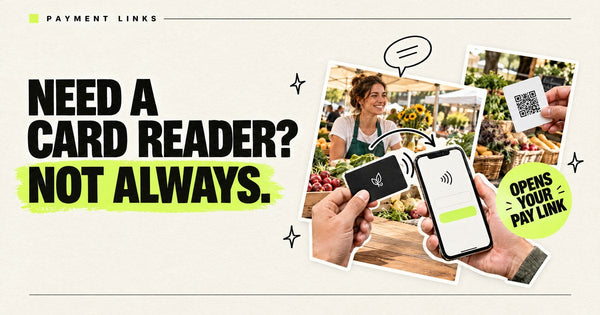
Yes. A tip card is a card whose link is your payment page. When a customer taps it, their phone opens that page and they pay or tip in their own app. Two honest limits: the card doesn't take card payments itself (it isn't a card reader), and it can't fill in an amount for the customer unless your payment link does. Our NFC card that opens your Square, Venmo or Cash App payment link guide walks through which link to copy from each app, and tap to tip cards for Venmo or Cash App covers tip cards for any service job.
A few things worth knowing from the payment companies' own pages (checked October 19, 2026, 7:00–7:20 AM ET):
- Venmo: Venmo's fee page lists a 1.9% + $0.10 fee when you receive a payment in a Venmo business profile, and a 2.99% seller fee when a personal account receives a payment the sender marks as goods and services (Venmo: Our fees). Venmo says business profiles have no monthly costs and come with a QR code customers can scan to pay you (Venmo business profiles; Venmo Help: QR codes for business profiles).
- Cash App: Cash App says business payments for goods or services belong in a Cash App Business account, which you create from your personal profile and which can use its own $Cashtag (Cash App Help: create a Cash App Business account). It deducts a processing fee on each payment a business account receives; see Cash App Help: Cash App Business fees for the current rate.
- Square: Square payment links can be shared as a link or a QR code (Square Support: payment links). If you already run Square at the window, a payment link is the cleanest thing to put on a tip card.
Pocket Factory doesn't touch the money. The card only opens your link; the payment company sets any fees. Pick a link that won't change (your business $Cashtag, your Venmo business profile or a dedicated Square link you leave active), because the card always opens the same link.
QR code or tap card at a food truck? Use both
Be honest about what each tool does well. A QR code printed big on the menu board wins for people in line: they can scan it from six feet away while they wait, and most phone cameras read QR codes. A tap card wins at the window: the customer is close, the card is right there, and a tap is faster than lining up a camera on a shiny window.
So use both. Put a large QR on the menu board for your Instagram, and the tap card by the window for the same account. On Pocket Factory cards, a printed QR backup is included by default, so a customer whose phone doesn't read NFC can still scan the card. If you want to know more about which phones read tap cards, see do NFC cards work on iPhone and Android.
Catering and private events: the wallet card
Catering is where a lot of trucks make their best money, and it usually starts with a conversation at the window: "Do you do weddings?" or "Could you come to our office?" That's the moment for a card in your wallet or apron that opens your catering inquiry form or the catering page on your website. A website card works for this. Let the person tap it right there, so the inquiry form is open on their phone before they walk away, and ask them to fill it in while they wait for their order.
If you don't have a catering form yet, a simple page on your website with your menu, minimum order and a contact form is enough. Point the card at that page, not your homepage, so the person lands on the thing they asked about.
Business cards for food trucks: paper or tap?
Plenty of people search for "business cards for food trucks," and paper cards still have a place. They're far cheaper per piece, so they're the right choice for dropping in to-go bags, pinning to a brewery's community board or handing to every catering lead at an event. The tap card does a different job: it stays in one place (the window, the tip jar) and gets used by dozens of customers a day, or it stays in your hand and goes back in your wallet after a tap.
What to print on a paper food truck card: the truck's name and logo, the one account where you post your schedule ("Find us daily: @yourtruck"), a phone or email for catering, and a QR code to the same account. Leave the address off unless you have a regular spot; a moving truck's address goes stale fast.
Food truck tap cards compared (checked October 22, 2026, 9:15–9:20 AM ET)
| Card | What the tap opens | 1 card | Ongoing cost | Notes |
|---|---|---|---|---|
| Tap Tag Tap Social Card | Instagram, TikTok, Facebook or another link | $14.95 | None stated ("one-time purchase") | No logo option listed; Tap Tag says it's reprogrammable |
| Tap Tag Google Review Card | Your Google review page | $19.95 with Tap Tag branding; $24.95 without | None stated on the product page | 3 for $49.95 with branding |
| Limey Google Review Card | Your Google review page | $15 | None stated on the product page | NFC + QR; 3 for $39 |
| Digifeel Instagram NFC Tag | Your Instagram | $39.90 | None stated on the product page | A 4.7-inch plexiglass plate with adhesive, not a wallet card |
| Pocket Factory | Your Instagram, TikTok, pay link, Google reviews or website, pre-programmed | $19 one-time; 2 for $29, 3 for $39 | None. No app, account or plan | Your logo on every card; one link per card; QR on the back by default |
USD prices from each seller's own product page, checked October 22, 2026, 9:15–9:20 AM ET. Prices change; check before you buy. Shipping and tax not included. Handmade wooden "tap to pay" cards are also sold on Etsy; prices vary by seller, and Etsy's pages didn't load for our check today, so none are listed here.
When another option is the better buy: if you want a single card that lists Venmo, Cash App and PayPal together, a tip page service like 1Tip does that for less. If you want to change where the card points every season, Tap Tag says its social card can be reprogrammed. Pick Pocket Factory when you want your truck's logo on the card and one link that just works.
How to set up NFC cards on a food truck
Step 1: Pick one job per card
Follow card for the window (Instagram or TikTok, wherever you post today's location), tip card for the tip jar, review card only if the truck has a Google Business Profile.
Step 2: Copy the exact links
Open your profile, payment page or review link on a phone over cellular data and confirm it lands on the right page, not a login screen.
Step 3: Order the cards with your logo
Choose the matching card and add your logo; a printed QR backup is included by default, so phones without NFC can scan it. One card is $19; two are $29; three are $39.
Step 4: Test the spot before service
Tape the card where it will live and tap it with an iPhone and an Android phone. If metal behind it blocks the read, move it to the window trim, menu board or a small stand.
Step 5: Say one line at the handoff
"We move around. Tap here and you'll see where we are tomorrow." Then post today's location every day so the follow is worth it.
Pocket Factory in one paragraph: one card with your logo, pre-programmed with your link, $19 one-time for one card, no subscription. Each card has an NTAG215 chip, works with iPhone XS and newer and NFC Android phones (Apple: background tag reading; Android Developers: NFC basics), is checked before it ships and has a QR code on the back by default. Pack prices: $19 for one card, $29 for 2, $39 for 3, $59 for 5, $109 for 10, $229 for 25 and $399 for 50 (matte; glossy is $21 for one). Ships from the USA. U.S. shipping is free. Most standard orders are expected to be produced and shipped within approximately 3–5 business days; delays are possible. See also the pre-programmed NFC card with your URL and NFC cards for market and pop-up vendors.
About the link on a Pocket Factory card: Locked so it can't be erased or overwritten. No battery or charging is needed. Pick a link you'll keep, ideally a page on your own site, before you order.
Get one food truck card with your logo for $19, no subscription →
FAQ
What should a food truck put on an NFC card?
Use a current-location page when the main job is helping customers find the truck: show the date, service hours, venue and address. Choose your Instagram or TikTok profile when an optional follow is the goal. A profile tap does not automatically create a follow or ensure the customer sees your next post. Separate cards can open tip or review links.
Can an NFC card take payments at my food truck?
No. An NFC tap card opens a link. Set it to your Venmo, Cash App or Square payment page and the customer pays in their own app. To take card payments at the window you need a card reader or a tap-to-pay app from your payment company.
Do Venmo or Cash App charge fees for business payments?
Checked October 19, 2026, 7:00–7:20 AM ET: Venmo's fee page lists 1.9% + $0.10 for payments received in a business profile. Cash App deducts a processing fee on each payment to a Cash App Business account; check its Business Fees help page for the current rate. Pocket Factory takes no cut.
Will an NFC card work stuck on the side of my truck?
Maybe not. Metal right behind an NFC chip can weaken or block the read. Test it in place with two phones before service, and if it won't read, mount it on the window trim, menu board or a small acrylic or wood stand.
How much do NFC cards for a food truck cost?
Pocket Factory is $19 one-time for one card with your logo, $29 for 2 and $39 for 3, no subscription. Checked October 22, 2026, 9:15–9:20 AM ET: Tap Tag's social card is USD $14.95 and Limey's review card is USD $15.
Can I change the link later?
No. Locked so it can't be erased or overwritten. No battery or charging is needed. If your link changes, order new cards with the new link.
Compare & guides
- pre-programmed NFC card with your URL
- NFC card that opens your Square, Venmo or Cash App payment link
- NFC cards for market and pop-up vendors
- Tap cards that open your online menu (including food trucks)
- Cheapest NFC card that opens your Instagram
- How to get more Google reviews in person
- Where to place Google review NFC cards
- NFC card that opens your Instagram or TikTok
- NFC card that opens your Google review page
- Pocket Factory pricing