
On this page · 9 sections
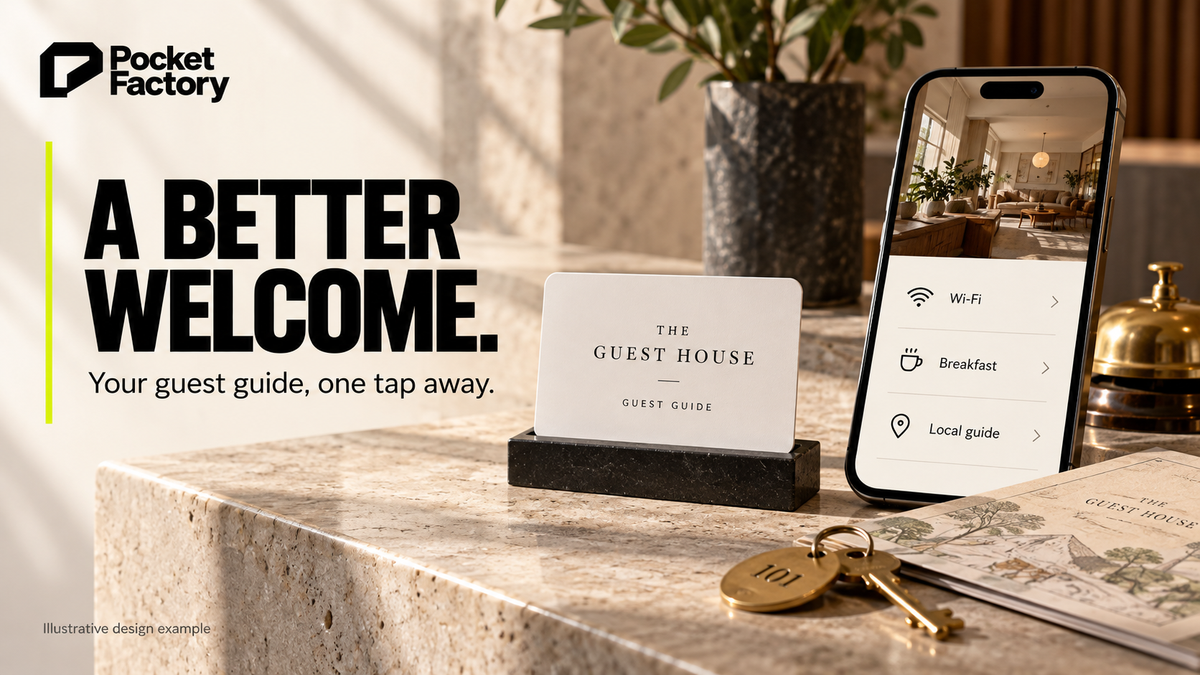
Your business logo on a card. Tap it, it opens your link. For a hotel, inn or B&B, the link is your guest guide page: guests tap the card at the front desk and the Wi-Fi details, breakfast hours and local tips open on their phone. Pocket Factory makes it as one card with your logo, pre-programmed with your link, $19 for one, no subscription: an NTAG215 NFC card with an optional QR backup, no app for anyone to download, and free U.S. shipping.
An NFC card for a hotel front desk is a tap card with your hotel's logo that opens your digital guest guide: guests tap it with their phone and get the Wi-Fi details, breakfast hours, local tips and the check-out survey on one page, instead of asking the desk or hunting for a binder. It works for boutique hotels, inns, B&Bs and short-term rentals. The trick is to put one guide page on the card, not one card per question.

What to put on the guest guide page
A card opens one link, so the page behind it does the work. Keep it short and phone-sized:
- Wi-Fi: network name and password at the very top. It's the most asked question.
- Breakfast, pool, gym and parking: hours and where to find them.
- Check-out: time, late check-out policy, how to return keys.
- Local tips: your staff's picks for coffee, dinner, walks, plus transit and taxi numbers.
- Contact: front desk phone, and how to text or call after hours.
- Check-out survey: a short feedback form (a Google Form or your property system's survey) so guests can tell you what to fix.
Build it as a page on your own website, like yourhotel.com/guest. You can update the Wi-Fi password, breakfast hours or tips on that page any time, and the card at the desk keeps opening it.
Can guests open the guide before they have Wi-Fi?
The card opens a web page; it does not connect the phone to Wi-Fi. Guests need a working internet connection to load a fresh copy of the guide, so someone without mobile data may need Wi-Fi details before they can read it. Keep the network name and joining instructions available at reception or on a printed information card too. A QR link to the same web page has the same internet requirement.
Where the card goes
- Front desk: one card in a holder, and staff can say "tap here for the Wi-Fi and everything else" at check-in.
- In the key folder: a card slipped in next to the key cards goes up to the room with the guest.
- In each room: on the desk or nightstand, so guests don't call down for the Wi-Fi password.
- Short-term rentals: on the kitchen counter next to the house manual.
About reviews and the check-out survey
A feedback survey and a review request are different things, and the platforms treat them differently. Google lets businesses ask guests for reviews as long as there's no incentive (Google's policy on incentivized reviews); if you want Google reviews, use a separate Google review card at check-out. Yelp tells businesses not to ask for reviews at all, including after a survey (Yelp: Don't Ask for Reviews). So keep the survey on the guest guide about your feedback, and don't route survey answers to a Yelp review page.
Hotel guest cards and Wi-Fi tags, compared
Prices from each seller's own product page, checked October 18, 2026, 10:41–10:44 PM ET.
| Product | Price | What a tap does | Good to know |
|---|---|---|---|
| OCCASORIA Wi-Fi card | $14.99 stock design, $18.99 with your logo | Joins guests to your Wi-Fi network | The seller says the Wi-Fi tap works on Android; iPhone guests scan the QR code on the front |
| ClickMe Smart Guest Card (EU) | €30 | Opens a ClickMe guest profile (Wi-Fi details, local tips, review links) | Basic profile is free; some advanced features need a ClickMe subscription |
| TAPiTAG Instant WiFi Tag | $46 in the store's USD view (sold in euros) | Opens a page to view and copy the Wi-Fi password | One-time setup |
| TAPiTAG Smart WiFi Tag | $58 in the store's USD view (sold in euros) | Opens an editable Wi-Fi and links page | Editable without replacing the tag |
| Pocket Factory | $19 matte, $21 glossy (1 card); $229 for 25 | Opens your guest guide page | Your logo and colors, optional QR backup, ships locked |
When another option is better: if all you want is guests joining Wi-Fi with no guide page, a dedicated Wi-Fi card like OCCASORIA's does that directly, and it's cheaper. If you want the guest page built and hosted for you and don't mind a subscription for extras, ClickMe's guest card includes the profile. Pocket Factory fits when you already have a website (or can add one page to it) and want a card with your hotel's logo that opens your own guide, with no app or monthly fee.
How to set up a hotel guest guide card
Step 1: Make one guest guide page
Add a page like yourhotel.com/guest with Wi-Fi, hours, check-out, local tips, contact and a short survey link.
Step 2: Test it on a phone
Open it on an iPhone and an Android phone. Wi-Fi details should be visible without scrolling.
Step 3: Order the cards
On the Pocket Factory card page, enter your website so your logo and colors load, paste your guest guide link as the card's link, and add a QR backup on the back.
Step 4: Place them
One at the front desk, one per key folder or room, one by the house manual in a rental.
Step 5: Keep the page current
Update the page when the Wi-Fi password or hours change. The card keeps opening the same address.
Pocket Factory prices
One-time purchase. A small inn might start with 2 to 5 for the desk and common areas; 25 or 50 covers a card per room.
| Pack | Matte | Glossy |
|---|---|---|
| 1 card | $19 | $21 |
| 2 cards | $29 | $33 |
| 3 cards | $39 | $45 |
| 5 cards | $59 | $69 |
| 10 cards | $109 | $129 |
| 25 cards | $229 | $279 |
| 50 cards | $399 | $499 |
One-time prices from the live Pocket Factory pricing page, checked October 18, 2026. Free U.S. shipping; most standard orders are expected to be produced and shipped within approximately 3–5 business days; delays are possible.
Good to know before you order: Pocket Factory cards ship locked (read-only), so the link can't be erased or overwritten, and the card keeps working for years. If your link changes later, order new cards. Details: Can I change the link on my card?.
Because the card opens a page you control, the guest guide can change while the card stays the same. Here's how a pre-programmed NFC card that opens your URL works.
Put your guest guide on a card →
FAQ
Can an NFC card connect hotel guests straight to Wi-Fi?
Pocket Factory cards open a web link, so they open your guest guide page with the network name and password at the top. If you only want guests to join Wi-Fi, a dedicated Wi-Fi card is the better fit; OCCASORIA notes its Wi-Fi tap works on Android and iPhone guests scan the QR.
What should be on a hotel guest guide page?
Wi-Fi details first, then breakfast and amenity hours, check-out time and key return, local tips, front desk contact and a short feedback survey.
What if our Wi-Fi password changes?
Update it on your guest guide page. The card opens the same page address, so it keeps working.
Can the card ask guests for reviews?
Keep the guest guide about information and feedback. Google allows asking for reviews without incentives, so a separate Google review card at check-out works. Yelp asks businesses not to request reviews at all.
Do guests need an app?
No. Tapping an NFC-enabled iPhone (XS or newer) or Android phone opens the page in the browser, and the QR backup works with the camera.
Can I change the link later?
No. Pocket Factory cards ship locked (read-only), so the link can't be erased or overwritten, and the card keeps working for years. If your link changes later, order new cards.


